Using a Threads parser in your workflow
How a Threads parser fits into a creator workflow — search → Library → comment jobs, with real Orqestra screens.
A parser is a tool question, not a goal. The goal is: reply to the right posts without living in the feed. The parser is the part that finds the right posts — and the part that most “just reply more” advice skips entirely. This article shows the concrete steps: run a scout run, read the signals, save with an angle, and turn the save into a comment job. Every screen below is the real Orqestra mini app.
What a Threads parser actually does
It pulls posts by source and attaches signals to each one, so a scouting session produces a queue instead of a scroll session.
- Sources: keyword search, your For You recommendations, any profile’s archive, or a hashtag.
- Signals per post: likes, replies, reposts, views, velocity (how fast it is moving), when it was posted, and corpus fit — how close the post is to your niche.
- Output: a list you can act on — save, skip, or open.
Step 1 — Run a scout run
Open the Parser and pick a source. The choice of source is the choice of audience:
- Search — keywords your audience actually asks about. The highest-density scout source; this is where “no save without an angle” starts.
- For You — fresh posts and trends from your recommendations. Good for a quick pulse, weaker for targeting.
- Profile — a specific @author’s archive, full history. Use it to reply where the audience you want is watching.
- Hashtag — a #niche discussion. Best when your niche is small enough that the tag is signal, not noise.
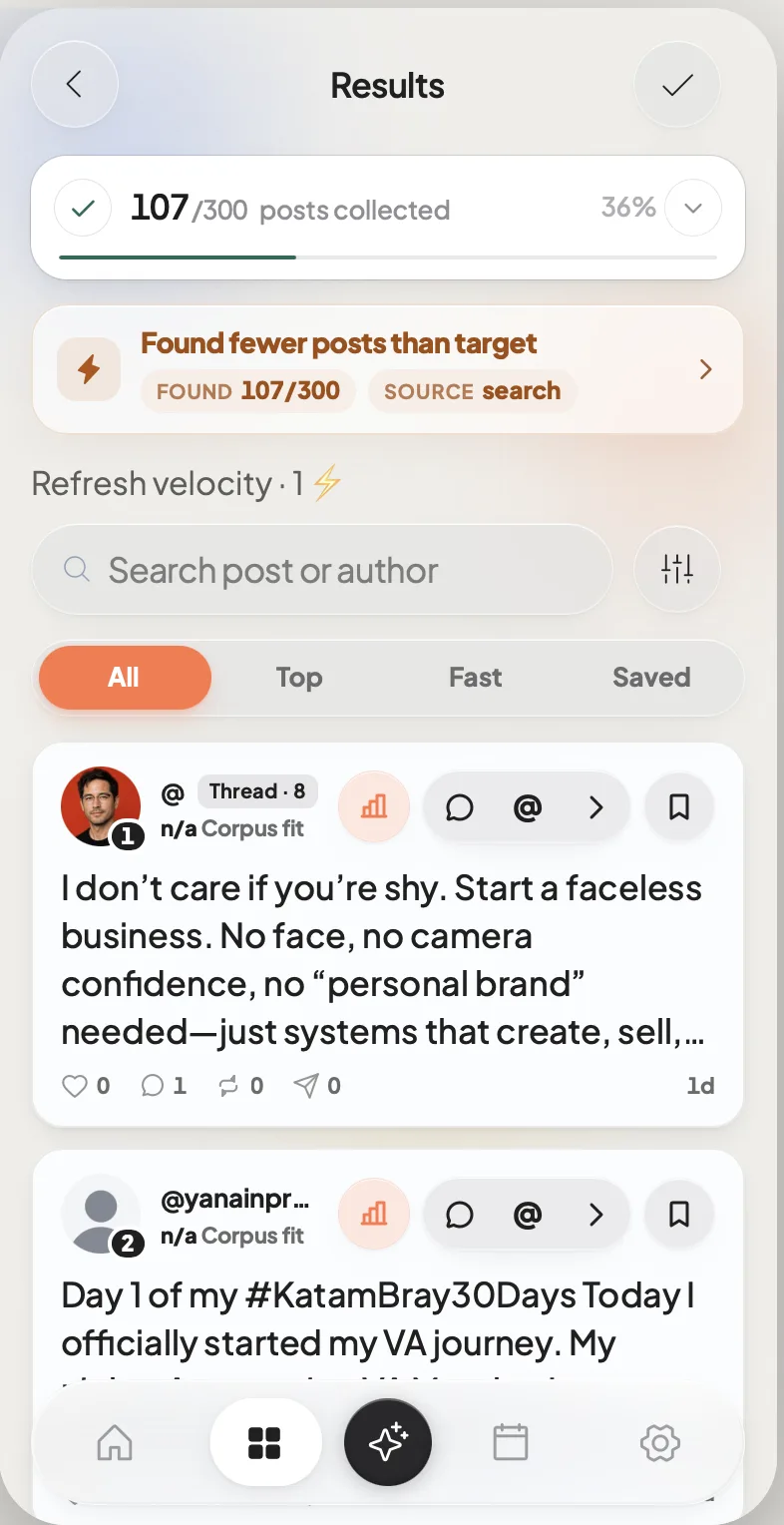
One run per scout session. A run is a job, not a feed — it finishes, and you get results instead of an infinite scroll.
Step 2 — Read the signals, not the feed
In the results, each post carries its numbers: likes, replies, reposts, views, how long ago it was posted, and corpus fit. Read them in this order:
- Corpus fit — is this post in your niche, or adjacent noise?
- Velocity and replies — is this a live thread where a reply has a chance, or a finished post?
- Posted-ago — a month-old thread is a graveyard even with a great reply.
Popularity is not relevance. A post with 40 replies you can add value to beats a viral post you have nothing to say about. The scout criteria that decide this: How to find Threads posts worth commenting on.
Step 3 — Save with an angle → Library
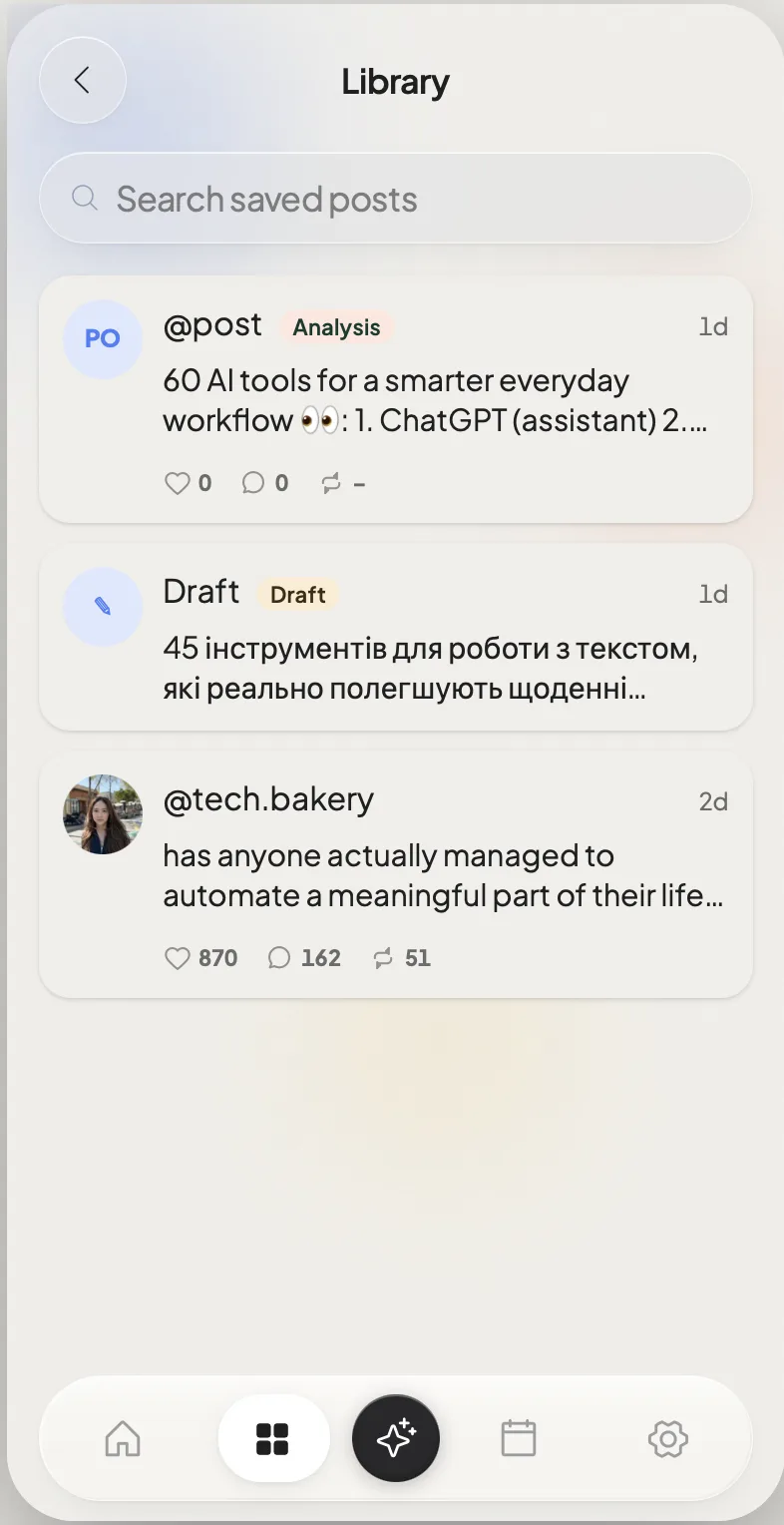
The save button moves a post into Library. The rule that keeps Library from becoming a graveyard: every save gets one line — what you will say and why this post. A save without an angle is hoarding; a save with an angle is a queue.
Library is where the scouted queue lives — saved posts with their signals and your one-line angle, ready to be turned into replies.
Step 4 — Turn a save into a reply
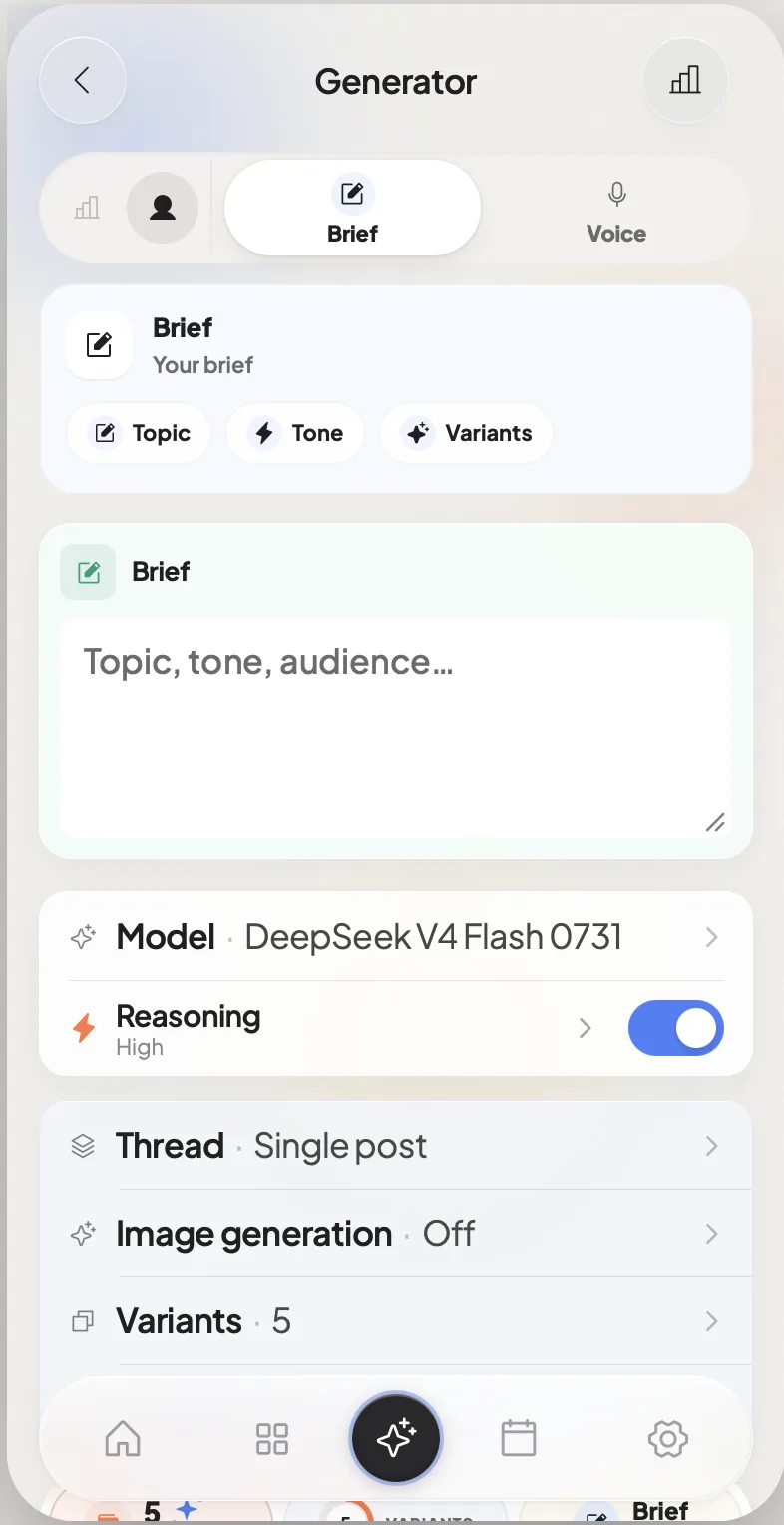
From a Library item you go straight into the Generator: a brief, your voice, a humanizer pass — and draft replies that stay yours. Or skip generation entirely and write the reply yourself; the queue is the point, not the AI.
Step 5 — Run the comment job
The queue feeds a comment job in two modes:
- Manual — each reply is presented with Send / Skip. You carry your name; nothing goes out without your yes. The mode for high-value targets: questions, disagreements, niche gaps.
- Auto — replies go out on a schedule. Safe only on scouted targets with a proven voice. Scouting is what makes Auto safe; Auto without scouting is how accounts look like bots.
The full decision table: Auto vs manual comment jobs on Threads.
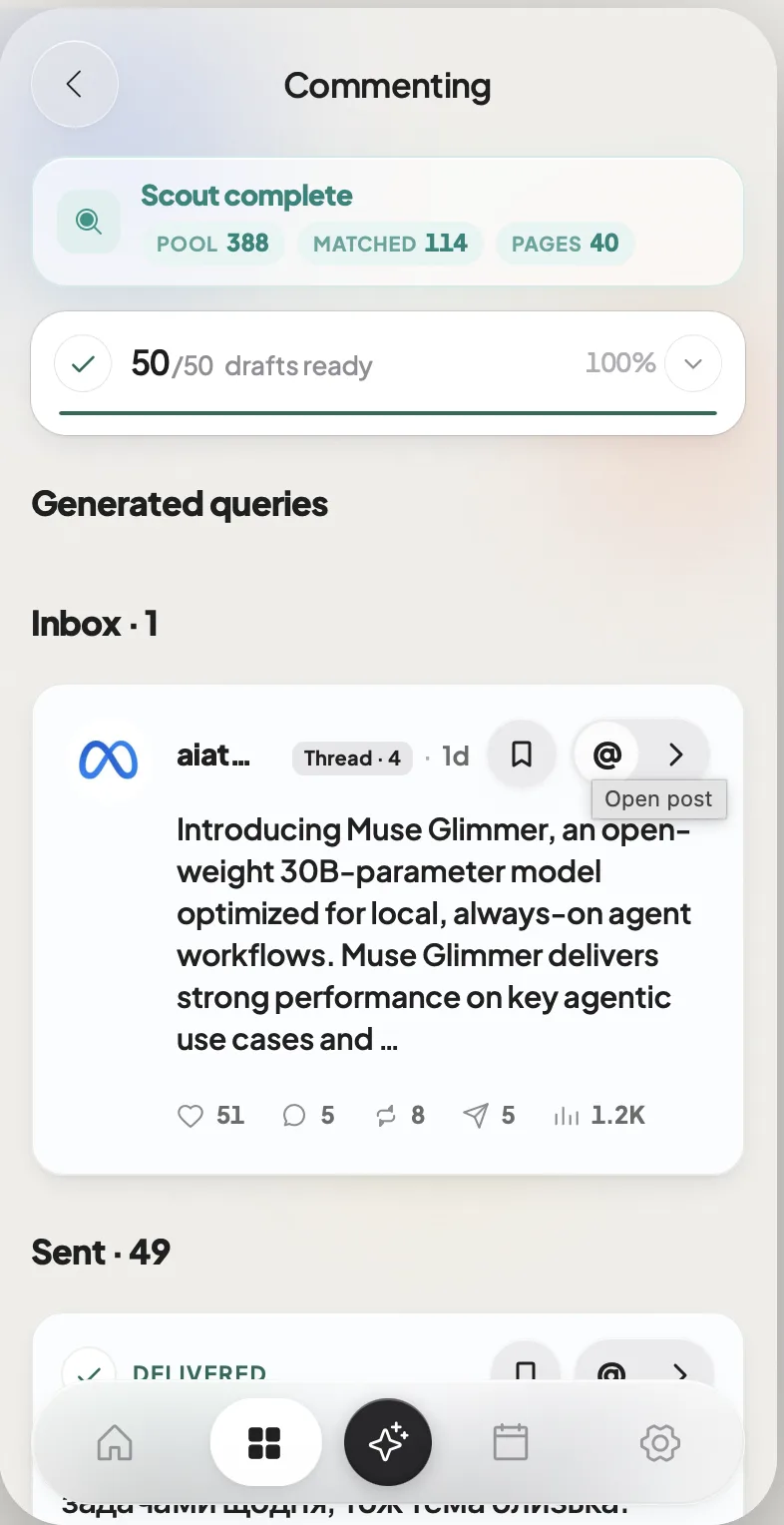
If the author replies to you, a follow-up job picks up the conversation — so the loop doesn’t end at “sent”. Why replies carry your profile: How to get more engagement on Threads (2026).
Where the parser fits in a week
The parser is the scout step of the weekly loop — scout, create, schedule, engage. For one person, 5–8 well-angled saves per week is plenty; the bottleneck is angle quality, not volume. The rhythm around it: The weekly Threads loop: scout, create, schedule, engage. The full product view: Threads creator workflow in Telegram.
The honest when-not
- You never reply to anyone. The parser is the engagement side of a presence; if you only post, start with creation, not scouting.
- You run engagement for many brands at volume. Multi-account listening and approval workflows are a different product category — an enterprise social tool fits better.
- You already have a scout habit that works. Keep it. The parser speeds up search and queueing; the angle rule is the part that matters, with or without a tool.
Where Orqestra sits
Orqestra is the search → Library → comment-job pipeline: run a parser scout, save with one-line angles, then run Manual or Auto jobs from the same queue. One credit balance, trial in the bot. Setup: Orqestra Telegram setup guide.